For personal trainers

Personal trainer software: clients, workouts, scheduling, and billing in one app

Trainer Connect is the management software that replaces spreadsheets, notebooks and WhatsApp billing with a real app. You build the workout (by hand or with AI), your client does it on their phone or watch, sessions go on the calendar and billing lands in your finances. Works on iPhone, Android and in the browser. Free for 1 client, no card required.
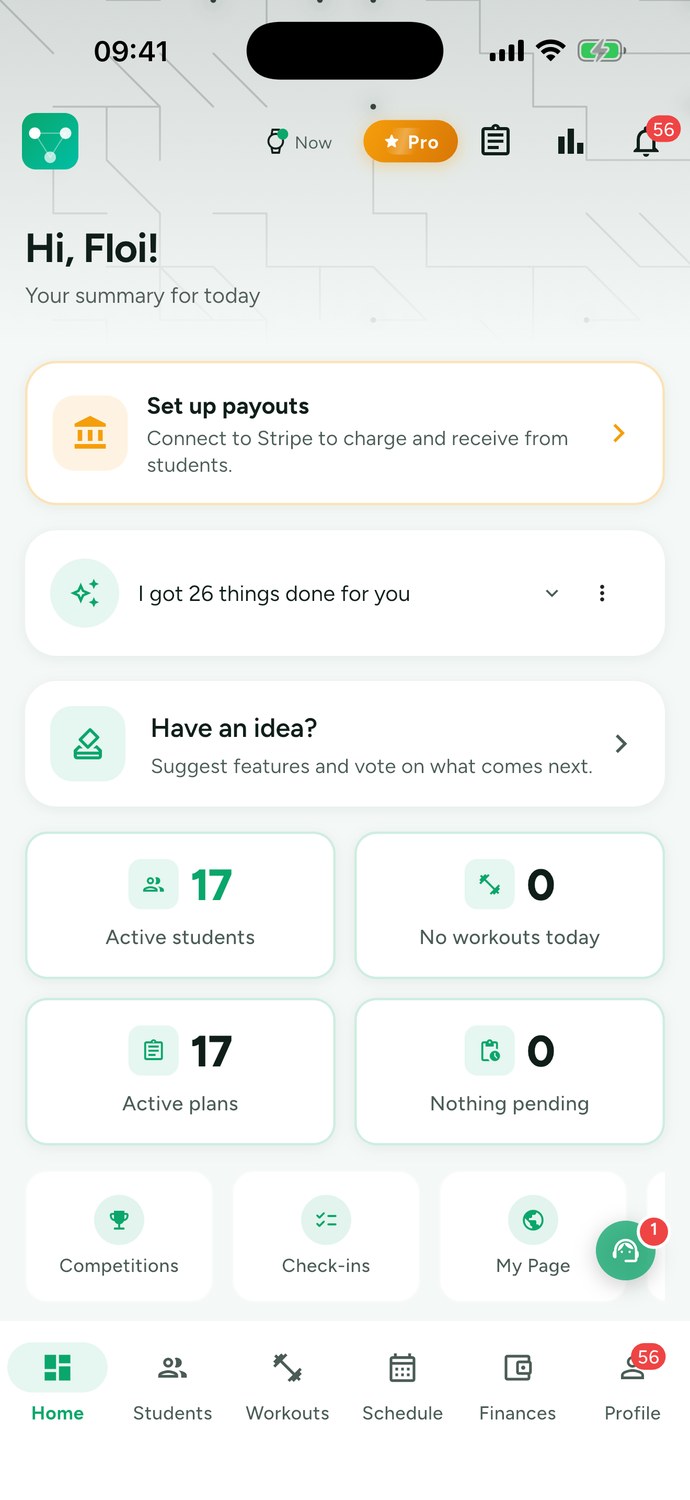
Trainer Connect trainer home screen showing active students, today's workouts, active programs, and recurring revenue

What personal trainer software needs to solve

If you have ten or twenty clients, you know the routine: the program lives in a spreadsheet, clients ask for a photo of their workout on WhatsApp, the rescheduled session ends up in a notebook, and at the end of the month someone forgets to pay. Each of these seems small; together, they eat up the hours you could spend coaching.

Good personal trainer software solves this by giving everything its own place:

Everything the platform does

Twelve modules already in the app today, on the Free plan and the paid ones. Tap each one to see the details.

Client management

Each client's profile, intake form, notes, workout history, assessments, and payments in one record. Invite link so clients can join the app.

Workout building

1,500+ exercises with video, scheduled weeks, multiple workouts in one day, reusable templates and on-the-spot exercise swaps.

AI workouts

AI reads the assessment, intake, and history and delivers the workout plan as a draft. You review and send.

Client app

Clients see today's workout, the videos and rest between sets, and log weight and reps. Free for them.

Apple Watch and Wear OS

Workouts tracked on your watch, set by set, with heart rate and sync to Apple Health and Google Fit.

Live tracking

When your client starts a workout, you get notified and follow every set and load in real time, wherever you are.

Schedule

Weekly grid with each session color-coded by status: confirmed, scheduled, completed, or no-show. You can bill a session straight from its menu.

Finances and billing

Mercado Pago, Asaas, Stripe or manual Pix. Monthly closing per client and a cash book with income, expenses and balance.

Fitness assessment

Measurements, skinfolds, photos and AI body analysis, with progress charts and a PDF for your client.

Meal plan

Meal plans built on the TACO food table, AI-generated or made by hand, and clients log meals with a photo.

Chat with your client

Chat per client inside the app, with photos and history, kept separate from your personal WhatsApp.

Public page and leads

Your page with plans and contact info to share on Instagram. Interested visitors become leads in the app.

What's new in the app

Trainer Connect evolves every week based on what trainers ask for. Here are the highlights from the past month:

Ready-made posts

Ten post templates for feed and stories, in your brand color and with your name. Change the text, add a photo if you like, and share straight from the app.

Contracts signed in the app

Request a signature on a student's contract and they sign right in the app, with a drawn signature, a selfie, and their location.

Exercise video by link

On your own exercises, paste a YouTube, Vimeo, Instagram, TikTok, or Google Drive link. The video plays inside the student's app.

Testimonials on your page

Your public page shows up to 6 student testimonials above your plans. You add each name and quote yourself.

Attachments on the student profile

Lab tests, body composition reports, medical notes, photos, or videos up to 50 MB stay on the student's profile.

Cluster sets and myo-reps

Both techniques are now in the workout builder with how-to instructions, alongside drop sets, rest-pause, supersets, and more.

Goals and streaks

Set monthly goals for your students: reach a target load on an exercise, complete a number of workouts, or train X times a week. Progress updates on its own with each workout, and the streak shows consecutive weeks.

Invoice for your subscription

Subscriptions and credit top-ups paid in the web app come with a Brazilian service invoice (NFS-e) under your CPF or your studio's CNPJ.

See plans and pricing

Workouts: manual, from templates, or with AI

The workout editor is the heart of the personal trainer app. Search over 1,500 exercises with video, filter by equipment, organize the week and set sets, reps, weight, rest and notes. Trainers who work with pairs or small groups use group mode: each client with their own workout card, side by side.

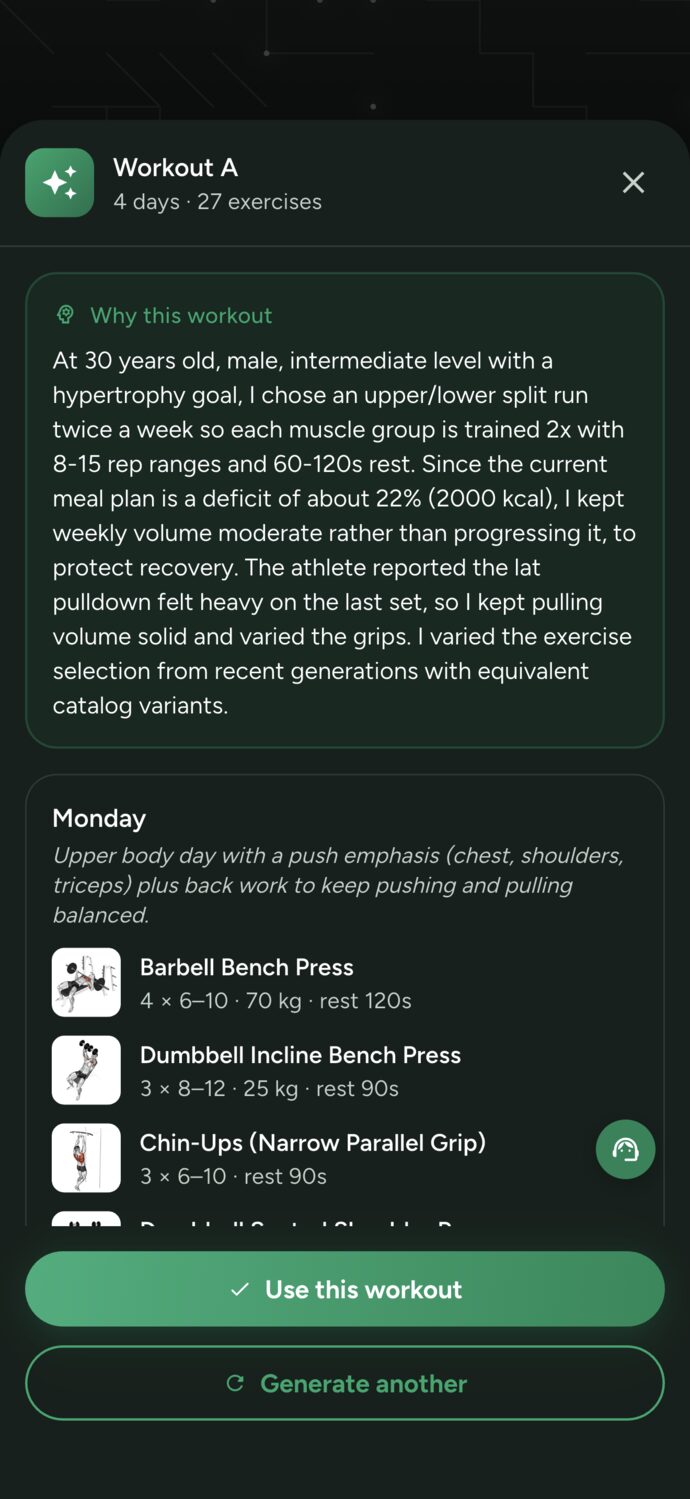
With the AI for personal trainers, the workout plan is built from the physical assessment, intake questionnaire, and client history, and arrives as a draft with the reasoning behind each choice. Each generated workout uses 5 AI credits, and the Free plan includes 20 per month. Nothing reaches the client without your review.

Coming from another app? Import reads screenshots, photos, or PDFs and brings in clients, programs, assessments, and meal plans for you to review before saving.

Preview of an AI-generated workout in Trainer Connect, with the reason behind each choice shown to the client
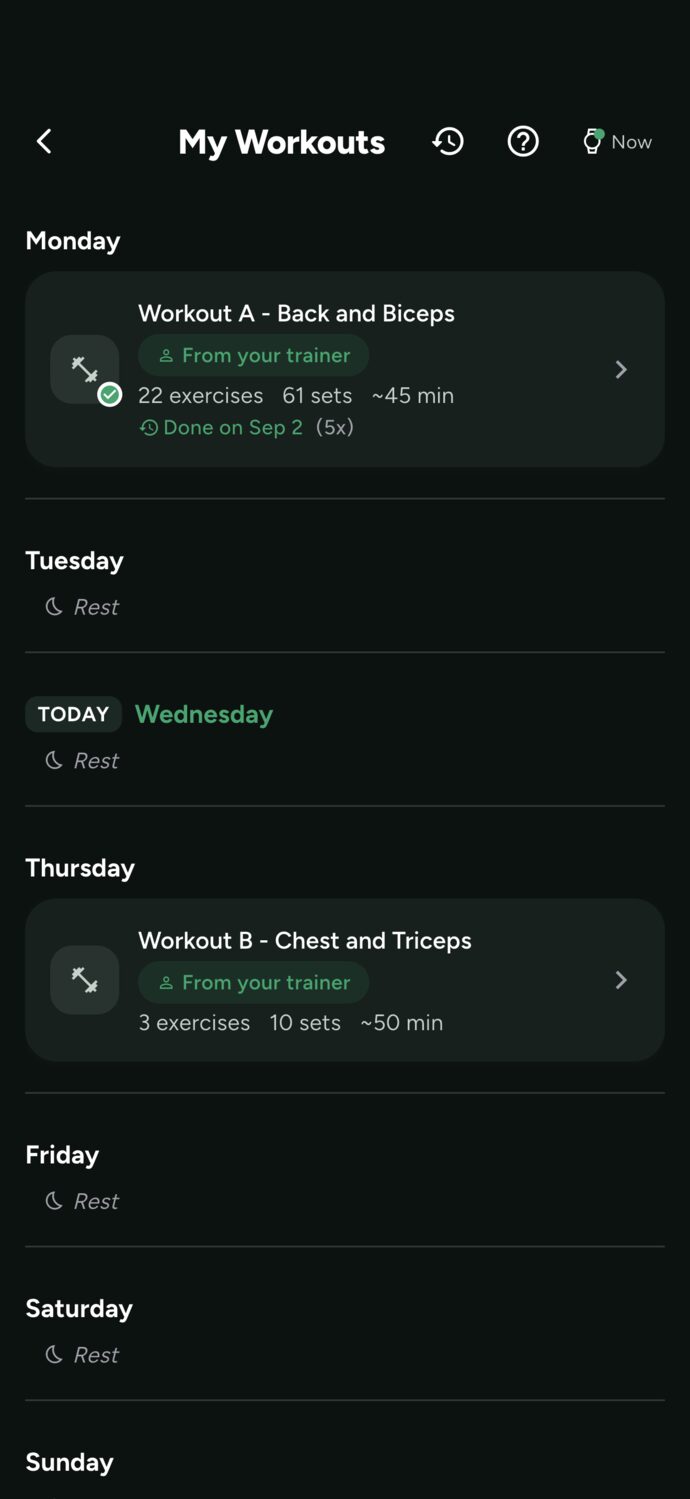
Client app in Trainer Connect showing the week's workout list

The client app, on phone and watch

Clients download Trainer Connect for free on the App Store or Google Play. In the app they see today's workout, watch the exercise video, log each set with the weight used, and the rest timer runs on its own. On iPhone, the workout in progress shows on the lock screen.

In the Apple Watch and Wear OS the workout runs on the wrist, set by set, with heart rate. When it ends, the workout goes to Apple Health or Google Fit and to the history you follow.

What your students log comes back to you: attendance, volume, PRs, and the rating they gave each workout. That's how the system shows you who's drifting away before they cancel.

Scheduling and billing in one system

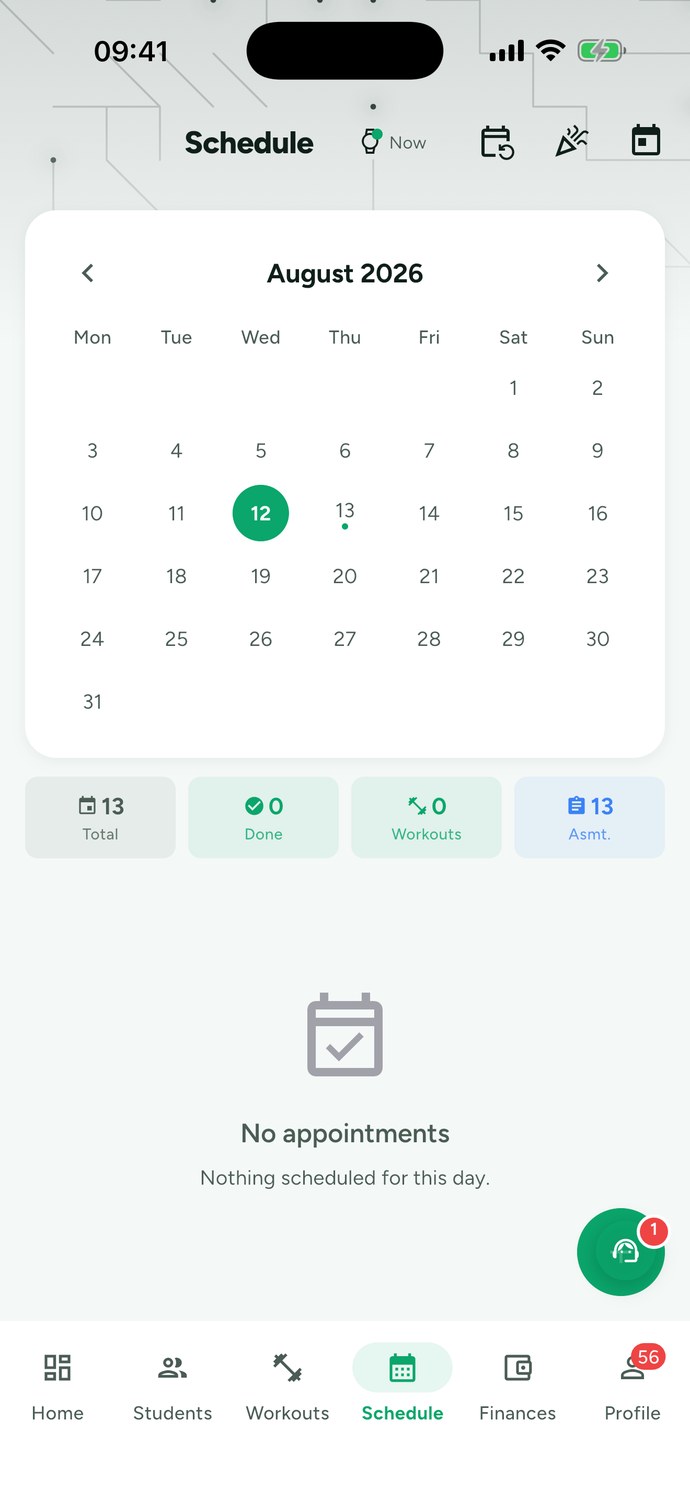
The schedule shows the week in a grid, with each session color-coded by status. At month-end, the close adds up each client's completed sessions, no-shows, makeups, and holiday sessions, suggests a discount based on the contract's session rate, and gets the invoice ready.

To get paid, you choose how:

  • Mercado Pago, Asaas or Stripe, straight to your own account. The money goes straight to you. Trainer Connect takes 1% per paid charge, on top of the gateway fee.
  • Manual Pix. Your Pix key on your profile and automatic payment confirmation in the app, with zero commission.

The cash book combines payments collected through the app with manual entries, including income, expenses, and the month's balance. Still setting your session rate? The calculator for how much to charge as a personal trainer does the math with your costs, taxes, and no-shows.

Trainer schedule in Trainer Connect showing the day's sessions and the status of each

Physical assessments, nutrition, and progress tracking

Physical assessments live inside the system, in the client's history: measurements, skinfolds, before-and-after photos, and the AI body analysis, which estimates body composition and posture from photos. The report comes as a PDF for the client. Want to test the formulas first? The free body composition assessment generator uses the same metrics (BMI, body fat percentage, BMR, and calorie burn).

If you also track nutrition, the AI meal plans builds the plan from the TACO food database and the client logs meals with a photo. The supplement tracking reminds the client at each dose and shows you what was taken.

Between sessions, weekly check-ins, chat and client competitions keep everyone connected. And your public page, with plans and contact info, turns Instagram followers into leads inside the app.

How much the software costs

The price scales with the size of your client roster. Clients pay nothing to use the app with you.

PlanActive clientsMonthlyAnnualAI credits per month
Free1$0not offered20
Starterup to 3$7.99$79.9940
Unlimitedno limit$24.99$249.99200

Plans differ in the number of active clients and AI credits. AI credits renew every month: a generated workout uses 5, a meal plan 3, and an assessment analysis 1. Manual editing, scheduling, chat, and the client app don't use credits. On payments made through the app, Trainer Connect keeps 1%; on manual Pix, nothing.

How to choose personal trainer software

Before you move your clients, test any system with these questions:

To compare options, see the ranking of the best personal trainer apps and the comparison with Trainerize, MyPTHub, and TrueCoach. If you train clients remotely, the online coaching shows the complete flow.

Frequently asked questions about personal trainer software

What's the best personal trainer software?
It depends on how you work, but the system needs to cover four things without workarounds: your client gets and logs workouts in their own app, you manage scheduling and billing in one place, physical assessments stay in their history, and the price fits your client roster. Trainer Connect does all of this on iPhone, Android, web and watch, with a free plan for 1 client. To compare it with other apps, see the ranking of the best personal trainer apps and the side-by-side comparison.
How much does personal trainer software cost?
On Trainer Connect: Free for 1 client ($0, with 20 AI credits per month), Starter for up to 3 clients at $7.99 per month (40 credits) and Unlimited, with no client limit, at $24.99 per month (200 credits). On annual billing, Starter is $79.99 and Unlimited is $249.99. Manual workout editing, scheduling, chat and the client app don't use credits.
Do clients pay to use the app?
No. Clients download the app free on iPhone or Android (or use it in the browser), get their workouts, log sets and weights and chat with you at no cost. Client Premium is for people who train without a trainer.
How does the trainer get paid by clients through the system?
Outside Brazil you connect your own Stripe account and charge by card in your currency (USD, EUR, GBP and others), with a 1% Trainer Connect fee per paid charge plus Stripe's own fee. In Brazil you can also use Mercado Pago or Asaas, or manual Pix with your key and zero commission. Paid charges go into the app's financial dashboard and the month's cash book.
Does the software build workouts with artificial intelligence?
It does. The AI reads your client's physical assessment, intake questionnaire and history, then returns the plan as a draft for you to review before sending. Each generated workout uses 5 AI credits. Nothing goes to your client without your approval.
Does it work on Apple Watch and Android watches?
Yes. Your client runs the workout on an Apple Watch or a Wear OS watch, sees the set, weight and rest on their wrist and logs each set without pulling the phone out of their pocket. Workouts also sync to Apple Health and Google Fit.
Can I bring my clients and workout plans over from another app or spreadsheet?
Yes. Import reads a screenshot, photo, or PDF from the other app and brings in clients, workout plans, assessments, and meal plans. AI reads the document and you review everything before saving.
Does it work for online coaching and for nutritionists?
Yes. For online coaching, clients train with the app in any city and you follow along through their history, chat, and check-ins. Nutritionists use the same system with the nutrition module: meal plans, meal logging by photo, and supplement tracking.

Get your clients organized today, for free

Create your account in two minutes, add your first client, and send the first workout. Free for 1 client, no credit card.

Create free account